Christmas Fire Control
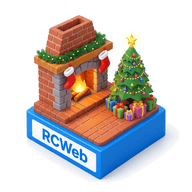
Use your phone to switch between the ten 16:9 Christmas fireplaces, adjust flame intensity and motion, and control the peaceful generated holiday music on your RCWeb display.
Choose a fireplace
- Tap any of the ten live fireplace previews (Classic Stone Hearth, Grand Brick Mantel, Winter Cabin Lodge, Hearth Close-Up, Victorian Marble Parlor, Nordic Hygge Cottage, Tudor Study & Library, Country Hearth & Copper, Birch & Iron Close-Up, or Cast-Iron Wood Burner) to display it immediately.
- Use the top-right checkbox on each card to choose which scenes join Automatic rotation, or tap Include all to select all ten.
- Set Change scene every to 30 seconds, 1 minute, 2 minutes or 5 minutes.
Music & atmosphere
- Christmas music — switch the 10 soft generated holiday carols (across piano, wooden flute, nylon guitar, solo cello, harp, parlor organ, music box, celesta and chimes) on or off, skip to the Next carol, and adjust Volume.
- Fireplace crackle — toggle the gentle hearth rumble and subtle wood pops independently.
- Fire intensity, Flame motion & Brightness — tailor the hearth from a gentle evening glow to a roaring holiday fire.
- Shader quality — choose Adaptive (1080p backdrop) for automatic frame-rate protection, Fast shader (1080p backdrop) for older displays, or High detail (1080p shader) while keeping the 1080p background sharp.
- Scene title & QR invitation — show or hide on-screen labels and choose any corner for the QR panel.
Return to other apps
Tap Back to apps at the top of the page to return your phone to the RCWeb launcher in the same room while leaving the fireplace running on your screen.