RCWeb Stack Fall
Balance falling blocks in three independent lanes. Aim before the shared countdown ends, then watch your tower wobble and settle.

Features
- Up to three phone players, one per lane.
- The same shape drops for everyone after five seconds.
- Independent tower resets and automatic play in open lanes.
Screenshot
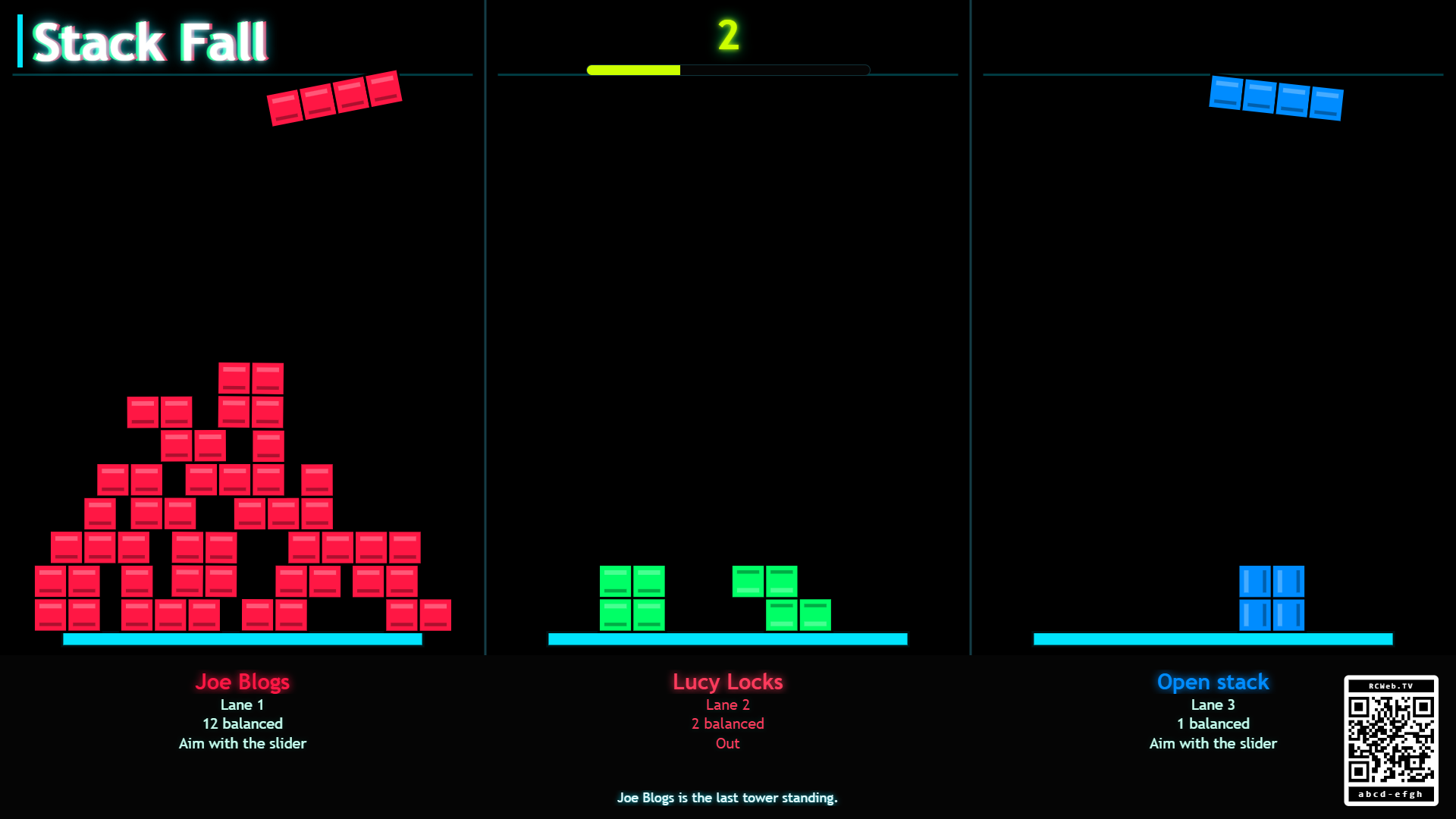
The Game
Stack Fall is a modern block-stacking challenge inspired by tower games and falling-block puzzles. Each lane starts with only a floor. Every drop cycle gives all lanes the same Tetris-style shape, so active players and open stacks face the same physical problem at the same time.
During the five-second aiming window, each lane has one piece at the top of the screen. A connected player can move their piece with the phone slider or optional phone tilt. If a lane has no player, or the player is not touching the slider, the piece makes small left/right idle movements on its own. When the countdown reaches zero, all active pieces release together with no horizontal launch velocity and fall onto their lane's floor or existing stack.
A piece can tip, lean, slide, or hang over an edge and the player can continue as long as it remains above the floor. When a player or open stack drops a block below the floor, only that lane pauses, tilts its own floor to clear the pieces, levels the floor again, resets its balanced count, and then rejoins the synchronized drop cycle. If a tower reaches the drop zone at the top of the screen, that lane alternates its blocks between their lane color and white five times at 200 ms intervals, waits five seconds, then clears itself with the same floor-tilt reset. Other lanes continue playing while that happens.
How To Play
Open /stack-fall/?r=<room> on the shared screen. Players scan the QR code to open /stack-fall-c/?r=<room> on their phones. Up to 3 players can join, one per lane.
If a controller disconnects or leaves the room, the display frees that lane immediately. The tower remains on screen, but the lane becomes an open stack again and continues with automatic idle aiming until another phone joins.
Each lane runs its own tower round inside the repeated synchronized drops:
- The display picks one shared shape for the next drop.
- Every available lane receives that same shape at the top of the screen.
- Players have 5 seconds to aim.
- All pieces release at the same time.
- Settled pieces count as balanced.
- If a lane drops a piece below the floor, that lane performs its own tilt-clear-reset cycle and starts again from zero.
- If a lane reaches the top drop zone, its blocks flash white five times before the same lane reset begins.
When no players have joined yet, all three lanes still run as open stacks. Each open lane keeps accepting drops until one of its pieces falls below the floor, then that lane performs the same independent reset before allowing new drops again.
Keep the display size steady during play. Changing its width reloads the game; phones can reconnect afterwards.