RCWeb JScreenFix
Display a small, rapidly changing colour pattern over a suspected stuck pixel, with phone controls for positioning it on a TV or monitor. The pattern is intended as a pixel-fixing aid; it may not resolve the fault.
Features
- A movable colour pattern with individual device pixels: 256×256 on larger displays, with a larger repair area on high-DPI phones.
- Smooth phone positioning for screens without a mouse.
- Background colours to help locate unusual pixels.
- A live FPS counter and a warning when the pattern runs below 45 FPS.
- A QR invitation that moves clear of the fixer and dims after one minute.
- A black phone controller with a framed Big screen preview and built-in help.
Screenshot
The Tool
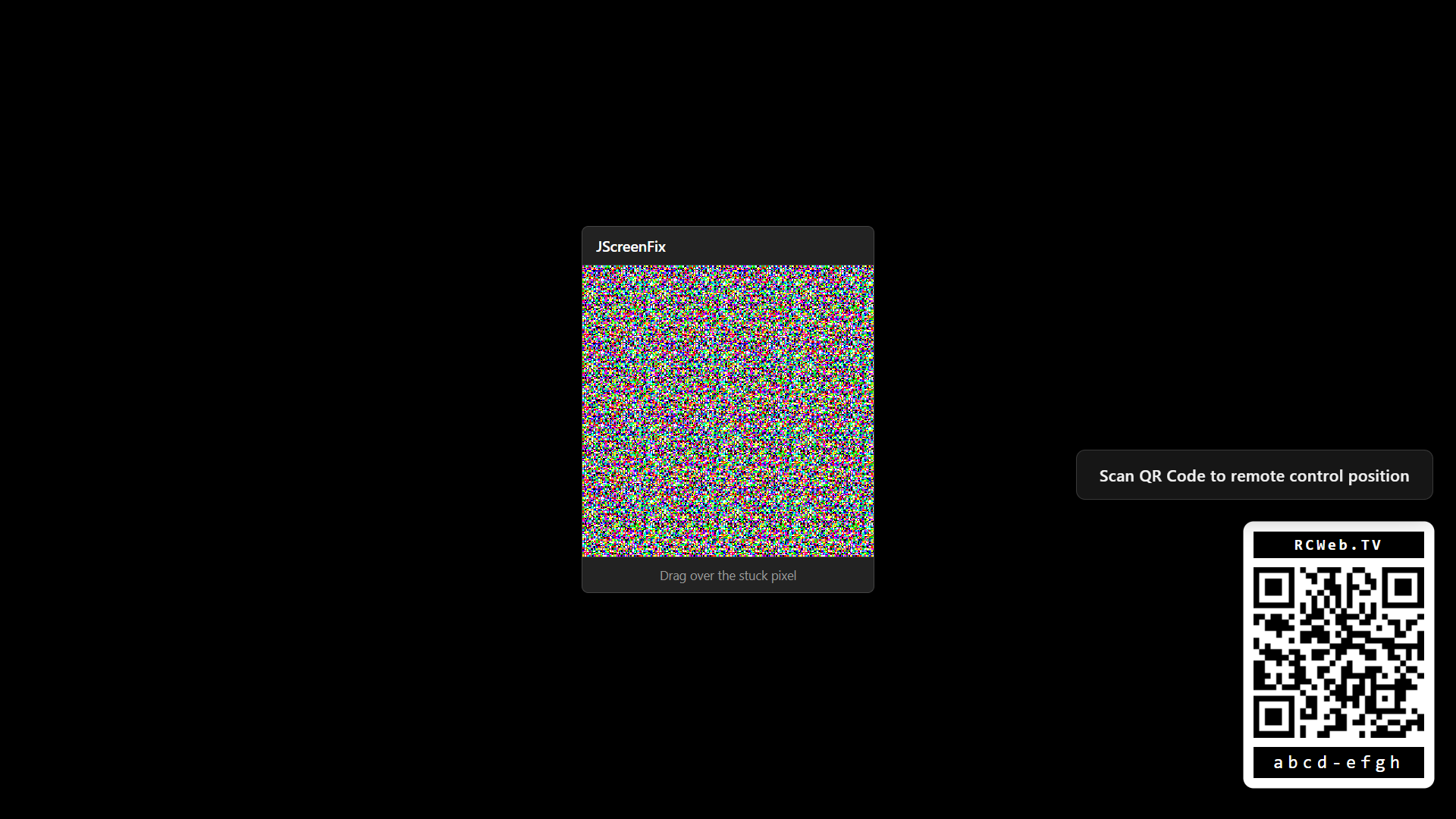
The JScreenFix display application runs on the target TV screen that needs repair. It presents a pixel fixer window that can be dragged directly over the stuck pixel. To make positioning easier, especially on large displays or TVs, it integrates with a mobile remote control.
It automatically generates a QR code providing a direct link to the control interface. To ensure the QR code is always accessible, it moves to a clear area when the pixel fixer window approaches it. A scan hint explains how to use your phone as the remote.
On a phone, the repair area grows to a comfortable size by drawing more individual device pixels, rather than stretching the pattern. The QR panel is smaller on narrow screens to leave more space for the fixer.
How To Use
- Open rcweb.tv on the TV screen with the stuck pixel.
- Scan the QR Code displayed on the screen with your smartphone.
- Find JScreenFix in the app list and launch it.
- Use the controls on the phone to position the repair window over the stuck pixel.
- Keep the window over the affected area, then check whether the pixel has changed.
More help
The phone controls include a step-by-step guide below the preview. Official JScreenFix guidance suggests at least 10 minutes over a bright stuck pixel before checking the result. A permanently black, dead pixel is less likely to respond to software. Repair is not guaranteed.
The FPS counter at the top right of the fixer shows how many times the pattern redraws each second. It updates while the pattern runs. If it drops below 45 FPS, a warning explains that the screen’s web browser may be too slow for JScreenFix to fix the pixel.
After one minute, the QR panel fades to 33% opacity. It continues to move clear of the pixel fixer when needed.
See the JScreenFix Control guide for the phone controls and positioning help.