PiBot
PiBot transforms any modern browser into a responsive command centre for a ThunderBorg-powered robot. Built on RCWeb's real-time room messaging, it combines live multi-camera vision, precise motor control, rich telemetry, and layered crash prevention in one polished interface that works equally well on a phone, tablet, laptop, or gamepad.
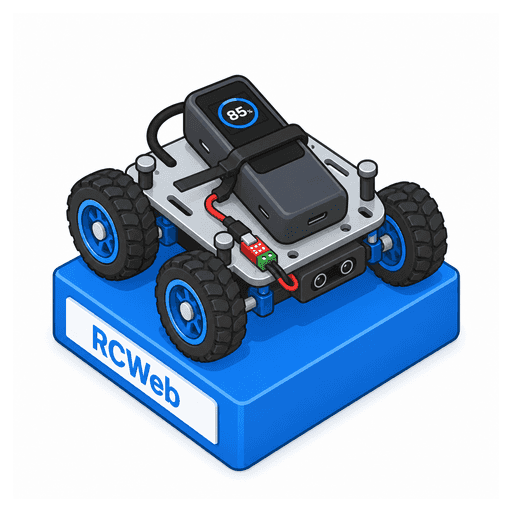
A complete robot control station
- Live multi-camera vision: automatically discovers every camera exposed by the PiBot bridge and lets you switch between them at runtime. Tune resolution, capture rate, preview rate, JPEG quality, image orientation, and idle timeout without leaving the control screen.
- Flexible video delivery: stream JPEG frames directly over the RCWeb WebSocket for a fluid live view, or use RCWeb's file proxy as a resilient alternative. Fullscreen mode turns the camera itself into an immersive gesture-drive surface.
- Precision motor control: drive with a touch joystick, keyboard, or connected gamepad. The gamepad uses analog triggers for proportional forward/reverse acceleration and the left stick for car-style steering, while the right stick retains proportional tank control.
- Advanced motor tuning: configure the overall drive limit, supply and motor voltage limits, reverse-voltage limit, minimum starting voltage, independent acceleration and deceleration damping, and motor update interval.
- Four-way proximity telemetry: see front-left, front-right, rear-left and rear-right VL53L0X distance readings overlaid directly on the camera view, alongside ThunderBorg battery voltage, Wi-Fi signal strength, RCWeb connectivity, and robot availability.
- Filtered distance control: the Sensor panel provides a slowdown distance (60 cm), reduced motor voltage (6 V), stop distance (40 cm), sensor braking ramp (1 second from full configured output), and consecutive near-reading count (3). Two clear readings release a limit. Distance stops ramp down and held controls resume automatically after clearance; release the controls to cancel the request. Front sensors govern forward motion, rear sensors reverse, and all four sensors limit rotation. The separate rotation-stop distance remains adjustable.
- Layered crash prevention: use filtered slowdown and stopping zones to reduce speed and brake smoothly before obstacles. Low Wi-Fi signal protection and the optional communications failsafe add further automatic stop conditions if a reliable control link cannot be maintained.
- Instant visual feedback: distance warnings and weak-signal alerts stand out in the live view, while the camera and connection indicators make stale video or a disconnected robot immediately obvious.
- On-board lighting control: choose the ThunderBorg LED colour directly from the dashboard for status signalling, identification, or a little extra personality.
- Runtime configuration: apply camera, sensor, motor, safety, and LED settings through the browser while the robot is operating, with accepted values synchronised back from the bridge.
Designed for confident driving
The main display keeps the video feed, all four proximity readings, battery level, wireless health, and connection state visible at a glance. Front-left and front-right readings appear above the preview; rear-left and rear-right readings appear below it. The touch controller uses proportional tank-drive mixing, while fullscreen gesture control lets a phone or tablet become a natural first-person driving console. On a gamepad, RT accelerates forward, LT accelerates backward, and the left stick steers only while moving; the right stick remains available for tank steering.
Safety is built into the driving experience rather than added as an afterthought. Releasing or losing a pointer issues a stop command, gamepad disconnects stop active movement, regular heartbeats maintain control-link awareness, and configurable sensor, Wi-Fi, and communications safeguards help bring the robot to a halt before a loss of visibility or control becomes a collision.
How to use it
- Start the RCWeb server and open
/pibot/?r=<room-id>on the device you want to use as the controller. - Start the PiBot Python bridge with the same room ID, for example
--room <room-id>. - Select a camera, choose your preferred preview transport, and drive using the touch pad, fullscreen camera gestures, keyboard, or gamepad.
- Expand the Camera, Motor, and Sensor panels to tailor performance and safety settings to the robot and its environment.
How it works
The browser communicates with the companion Python bridge entirely through standard RCWeb room messages. The bridge publishes robot, camera, sensor, battery, and Wi-Fi state; accepts drive, stop, lighting, subscription, and configuration commands; and provides camera frames either as WebSocket image data or through RCWeb's /x-file/ proxy. Camera subscriptions are tracked per client, so disconnected viewers are pruned and the camera can stop automatically when no one is watching.